.png)

Updated March 06, 2026
This playbook covers the exact steps to launch a branded app, acquire qualified downloads through organic and paid channels, and convert those users into paying subscribers. You don't need a Silicon Valley budget or a development team. You need a structured plan and the right tools.
Pre-launch prep: Build a foundation for organic growth
The no-code advantage: weeks, not months
The standard objection to building an app is cost and timeline. Custom app development averages $90,780 and roughly 11 months from brief to launch, according to Clutch data. That number puts a custom build out of reach for most creators with working programs and growing audiences.
With a no-code builder like Passion.io, your web app goes live in 2-3 weeks and your App Store submissions are underway by Week 3-4, with most creators fully published across iOS, Android, and web within 4-8 weeks. You upload your content, customize your branding, set your pricing, and submit, without writing a line of code. That speed matters because every week you delay is another week your audience stays on rented platforms you don't control.
"I purchased Passion.io to build an app that was easy for me and my clients to utilize. The group onboarding training was super helpful to getting started on the right foot. I'm working my way through the Expert Unleashed challenge and can't wait to launch my app within the next 1-2 months!" - LAT CPA Firm on Trustpilot
Before you upload a single lesson, set up your Apple and Google developer accounts in Week 1. Apple charges $99/year for the Apple Developer Program and Google Play charges a $25 one-time registration fee. The verification process can take several days, so opening them early saves time later. Passion.io's Apple Developer Account setup guide walks you through the full process, and their pre-submission checklist covers everything you need before you hit submit.
Terminology: key terms for your launch
These four terms will help you read analytics and make better decisions throughout your launch.
ASO (App Store Optimization): The process of improving your app's visibility in Apple's App Store and Google Play through keyword placement, screenshots, ratings, and descriptions, so more people find and download your app organically.
User Acquisition (UA): All the activities you use to bring new users into your app, from email campaigns and social posts to paid ads and influencer partnerships.
Pre-launch Marketing: The promotional activities you run before your app is live in the stores, designed to build a waiting list and create demand so you have downloads on Day 1.
CRO (Conversion Rate Optimization): Improving the percentage of people who view your app store listing and then download it, by optimizing your icon, screenshots, description, and preview video.
App Store Optimization (ASO) for niche creators
Keywords: go niche, not broad
Your first instinct is to target broad terms like "fitness app" or "online courses." That wastes your entire keyword budget on searches you won't rank for. The strongest ASO strategy, according to AppTweak's keyword research methodology, balances high-traffic terms with long-tail keywords that capture niche, high-intent searchers.
A postpartum yoga instructor who targets "postpartum yoga app" rather than "yoga app" faces less competition, attracts users with a specific need, and sees higher install-to-engagement rates. When you target well-researched long-tail keywords, you capture niche searchers and build topical relevance that improves your overall ranking over time. Use the five free ASO tools Passion.io recommends to identify which terms your ideal users actually search for, then weave those into your app title, subtitle, and keyword field. Passion.io's full ASO guide covers keyword placement across both stores.
Screenshots that convert
According to AppTweak's first-half 2024 data, the US App Store conversion rate averages 25%. That means roughly one in four people who view your listing downloads your app, and your screenshots are the single biggest lever you have to move that number.
Your first three screenshots must communicate outcomes, not menus. Show a transformation: "Week 1 vs Week 4 progress," "Your daily 20-minute practice," or "Your community, in one place." Benefit-focused captions alongside clean visuals nudge more searchers to tap "Download." Passion.io allows you to submit custom branded screenshots tailored to your niche. Your app description should also lead with outcomes in the first two lines, because most users don't tap "More" to read the full text.
How to get your first 1,000 app downloads
Strategy 1: Migrate your warm audience (Email + Social)
Your existing email list and social following are your most valuable launch asset. These are people who already trust you and have chosen to hear from you. Warm audience migration should account for the majority of your first 1,000 downloads because you pay effectively zero per install from your own list, compared to a paid install on Facebook or Instagram that runs $1.75 to $4.50 per install across major ad networks in 2024.
The migration sequence works in three phases:
- Announce (2 weeks before launch): Send an email to your list explaining why you're moving to a dedicated app, what they'll get that they can't access on your current platform (push reminders, offline access, an in-app community), and when it goes live. Pin a post across your social channels.
- Incentivize (launch week): Offer early-access users something exclusive, whether that's a bonus module, a free first month, or early entry into your first in-app challenge. Apps that send strong onboarding messages earn 24% higher purchase conversion rates, according to OneSignal's 2024 Mobile App Benchmarks.
- Bridge (ongoing): Every email you send should include your direct app download link. Passion.io makes it straightforward to share your app link once you're live, and the 8-tip program launch guide gives you specific timing and messaging frameworks.
Strategy 2: Influencer partnerships and guest spots
Partnering with another creator in your niche for a guest spot, podcast feature, or co-branded challenge is one of the highest-quality user acquisition channels available at low cost. The key is audience alignment: a fitness coach partnering with a nutrition influencer whose followers already want accountability and structured programs will see far stronger download quality than a broad lifestyle partnership. Micro-influencers (10,000-100,000 followers) in your exact niche typically charge less than major names and often produce stronger results because their audiences are more engaged and closely matched to your offer.
Strategy 3: Paid acquisition on a creator budget
Paid ads make sense after you've exhausted your warm audience migration, not before. On Facebook and Instagram, CPI ranges from $1 to $5 on average, though niche education apps can run higher due to audience targeting costs. On a $500 budget, you can realistically target 100-300 new installs, which makes paid a supplementary channel, not a primary one, for getting to 1,000 downloads.
Use Apple Search Ads as a cost-effective paid option because users searching in the App Store already have high purchase intent. The conversion rate from search to install tends to outperform cold social traffic.
Promotion channel comparison
Retention: Turning downloads into recurring revenue
Getting downloads is only half the work. Apps lose 77% of daily active users within three days of installation on average, and 90-day retention averages around 4% across the industry. Those numbers make one thing clear: your job after launch is retention, not just acquisition.
Push notifications: your highest-impact retention tool
Push notifications are the most direct channel you have to bring users back to your app. Users who received push notifications weekly showed 440% higher retention rates than the zero-notification group, according to research on push notification impact.
The practical translation: set a two-notification-per-week cadence starting at launch. Vary your content between progress nudges ("You're 2 lessons from completing Module 2"), community prompts ("3 new replies in your challenge group"), and content unlocks ("Your Week 3 workouts are live"). Passion.io's push notification scheduling tool lets you set this entire calendar in advance. See the Passion.io platform features overview for how push fits into the broader engagement toolkit.
Target a 15-30% improvement in completion rates within 90 days of adding a consistent push cadence, especially when combined with a 30-day in-app challenge.
In-app community: anchor users to your brand
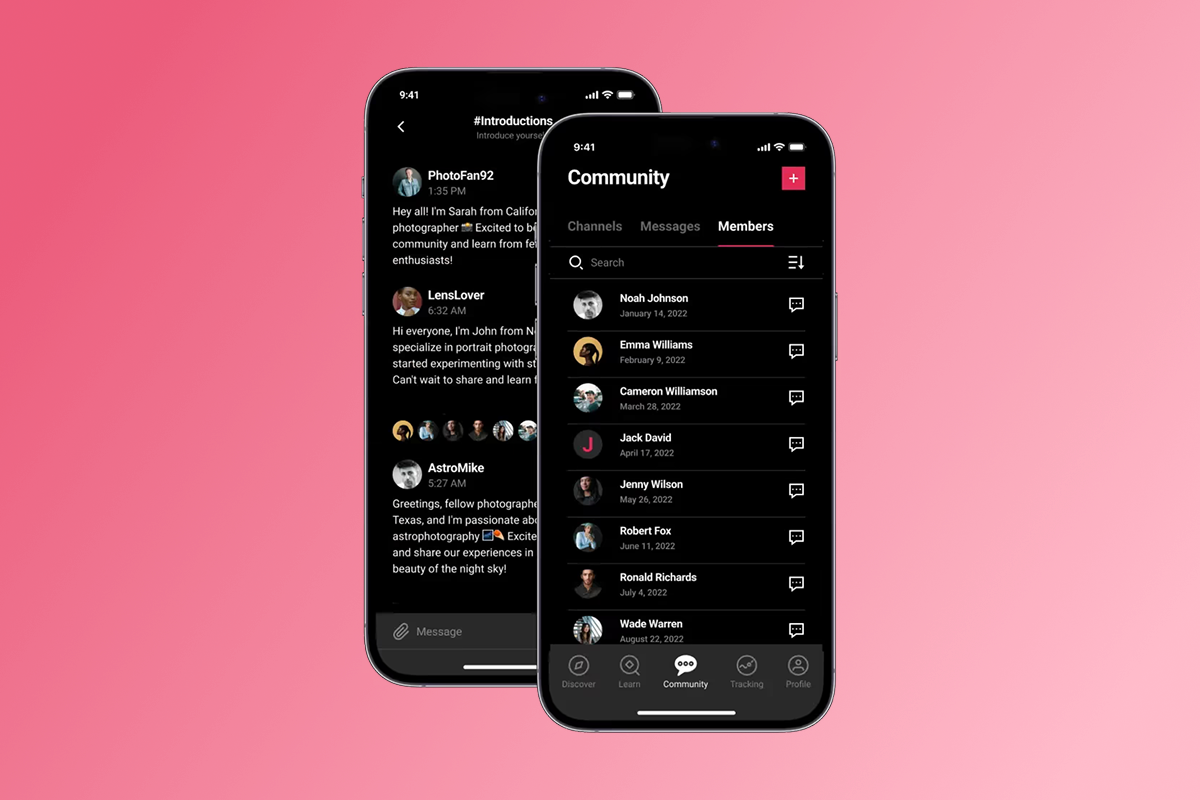
An in-app community gives your users a reason to open your app that isn't just content consumption. When members post progress, ask questions, and support each other, the app becomes a habit rather than a tool they use once and forget. This is the core advantage a branded app has over a Facebook group: you own the data, you control the experience, and the algorithm doesn't decide who sees what.
Passion.io's in-app community builder lets you create a space where members interact directly inside the experience your content lives in, without redirecting to a third-party platform. The result is a tighter connection between your content and your community, which drives both completion and word-of-mouth growth.
"I have really enjoyed creating my passion app over the past year and half. I would not have been able to make my idea for an app come to life without the platform passion provides." - FitWithBrit on Trustpilot
The revenue math
That $1,450 MRR is a starting point, not a ceiling. As you add subscription tiers, annual plans, and bundles, the same 1,000 downloads can generate meaningfully more recurring revenue, particularly if churn stays below 6% per month through strong push and community engagement.
Monetization: Web checkout vs. In-App Purchases (IAP)
Choose your payment path before launch, because changing it later creates friction for existing subscribers. The two options carry very different fee structures.
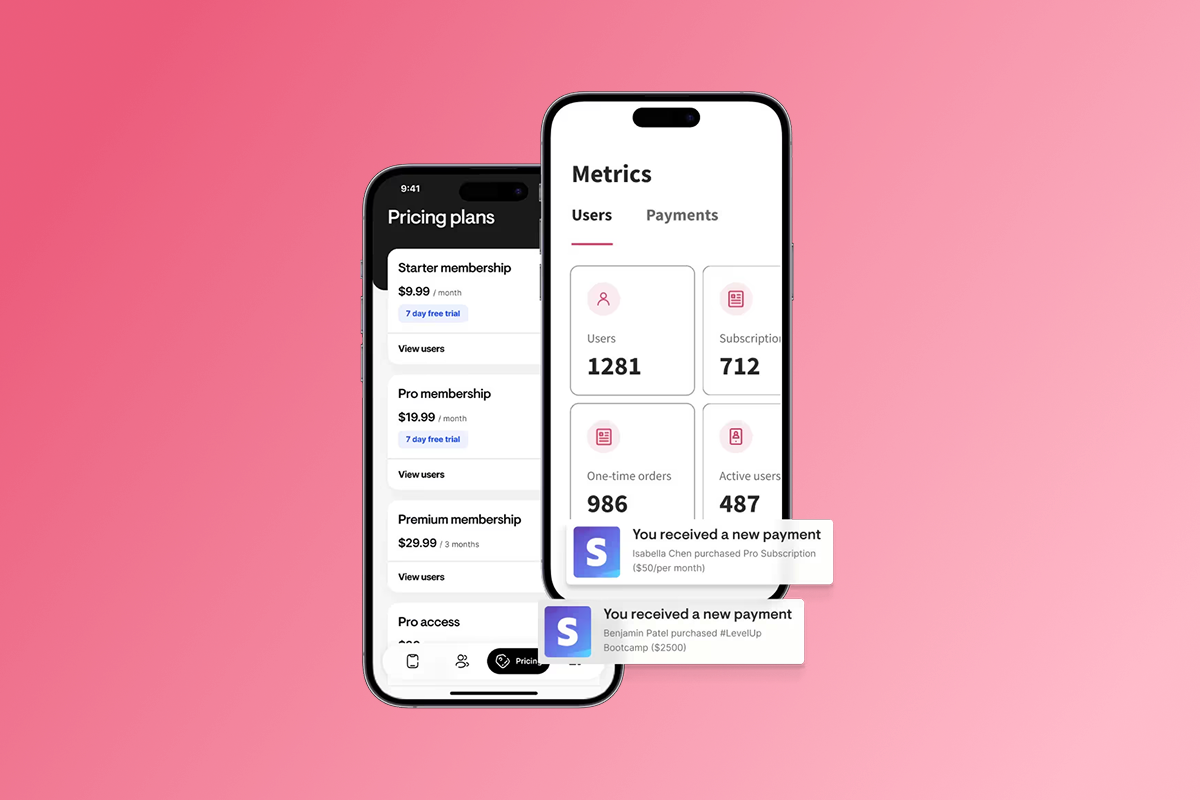
Web checkout via PassionPayments: Passion.io charges a 3.9% PassionPayments platform fee plus Stripe's standard processing fees, bringing the total to approximately 6.8% + $0.30 per transaction. You keep the rest.
In-App Purchases (IAP): Apple and Google both retain a percentage of every transaction made through their native payment systems. Under Apple's App Store Small Business Program, creators earning under $1 million annually qualify for a 15% commission rate rather than the standard 30%. Google Play offers the same 15% rate for the first $1 million in annual earnings before rising to 30%.
The practical strategy is straightforward:
- Use web checkout for your core subscription tiers and high-ticket bundles. On a $99/month plan, PassionPayments costs approximately $7 per transaction, compared to $15 under Apple's Small Business rate.
- Use IAP as a convenience option for mobile-first users who prefer to pay through their existing Apple or Google billing, particularly for low-ticket entry-level offers where the convenience premium is worth the higher fee.
You can apply for Apple's Small Business Program through your developer account. Passion.io's Small Business Program guide makes that process straightforward. The hidden costs of app store submission article covers the full fee picture if you want to map out your exact margin model before launch.
The risks of buying installs (and what to do instead)
Buying installs from low-quality networks looks attractive when you're 200 downloads short of a milestone. The problem is that purchased installs don't produce paying subscribers. They inflate your download count, suppress your DAU/MAU ratio (daily to monthly active users), and signal low engagement quality to the app stores' ranking algorithms, which then show your app to fewer organic searchers.
25% of users abandon apps after one use, and paid cold-traffic installs abandon at even higher rates because there's no pre-existing trust or intent driving the download. Every install you acquire from a user who doesn't complete onboarding costs you money and damages your store metrics simultaneously.
The alternative is straightforward: focus your energy on qualified users from your warm audience, build in strong onboarding push sequences, and measure success by active subscribers and MRR, not raw download counts.
"Excited to finally be creating our app and using Passion.io to do it. Just getting started, but everything has been easy to follow and high energy." - Freeborn Fitness on Trustpilot
Step-by-step checklist: Your 30-day launch roadmap
Use this as your HowTo framework. Each step has a clear completion criterion so you know when to move on.
Week 1: Tech setup
- Open developer accounts: Register your Apple Developer Program account ($99/year) and Google Play Console account ($25 one-time). Done when both accounts are active and verified.
- Set up your Passion.io builder: Upload your branding (logo, colors, fonts) and confirm your app name. Done when your web app preview renders correctly.
- Define your pricing tiers: Decide on monthly and annual subscription prices and confirm your PassionPayments web checkout setup. Done when a test transaction completes.
Week 2: Content and pricing
- Upload your core program: Aim for at least 10 lessons plus any PDFs or audio files for your launch cohort. Done when a test user can complete Lesson 1 through Lesson 5 without errors.
- Configure push notification sequences: Schedule your first 4 weeks of push messages in Passion.io's scheduler. Done when the first three messages are scheduled and tested.
- Set up in-app community: Create your main community space and seed it with one welcome post and one pinned challenge thread. Done when the space is live and visible to test users.
Week 3: ASO and pre-launch hype
- Write your ASO copy: Optimize your app title, subtitle, description, and keyword field using your niche long-tail terms. Use Passion.io's ASO setup guide as your framework. Done when all store fields are filled and reviewed.
- Create custom screenshots: Design five screenshots showing outcomes and community. Done when screenshots are approved in both stores via Passion.io's custom screenshot submission process.
- Send pre-launch email: Announce the app launch date to your full email list with a clear early-access offer. Done when the email is sent and replies are monitored.
- Submit to stores: Follow Passion.io's iOS submission checklist and Android rejection resolution guide. Plan a 1-2 week buffer for review. Done when both submissions are "In Review" status.
Week 4: Launch and push campaign
- Launch Day email and social post: Send a coordinated email and post across all channels with your direct app download link. Done when your announcement reaches 100% of your list.
- Activate your 7-day launch push campaign: Send daily push messages in the first week to new installs covering orientation, your first challenge, and your community. Done when Day 7 retention rates are tracked.
- Monitor and respond: Check completion rates and community posts daily. Reply to every community message in Week 1. Done when you have baseline DAU/MAU data to compare against Month 2.
If Apple requests changes during review, respond to the App Store guidelines email quickly and plan a 3-5 day turnaround. On Expand or Plus plans, Passion.io's team provides direct submission support. On Launch or Scale, the checklist above and the help documentation keep you on track independently.
"We chose the Passion Plus Lite package, and feel that every penny of it was well invested from creation to launch... Any and all app updates are handled by Connor's team, and everyone I have been in contact with has been extremely responsive and pleasant to work with." - Angie on Trustpilot
The goal is ownership, not just downloads
Your first 1,000 downloads matter because of what they represent: an owned audience you can message directly, analyze in detail, and build recurring revenue from, without an algorithm deciding whether they see your content today.
Start with the audience you already have. Migrate them from your email list, Facebook group, and Instagram to a branded app that you control. Build in push from Day 1 and anchor users with a community. Choose web checkout for your main subscription tiers to protect your margins. And measure success by MRR and active subscribers, not raw download totals.
Watch the Welcome to Your Passion App overview to see the builder in action, book a Passion.io demo to map your specific use case. Passion.io offers a 30-day money-back guarantee.
"I am excited for being give a cost-effective way to create an app so Shift Your Life® teachings can reach more people to have the personal (body, mind, emotion, spirit) or entrepreneurial business transformation they desire." - Tracy Latz on Trustpilot
FAQs: App Launch Strategy
FAQ: How do you get your first 1,000 app downloads?
The fastest path is a warm-audience migration: email your existing list, post across social channels, and offer an early-access incentive at launch. Layer in ASO for organic discovery and Apple Search Ads once you're live, then add paid social in Month 2 once your onboarding sequence is proven to convert.
FAQ: What is the best way to market an app launch?
Start with your existing audience because email is the highest-conversion, lowest-cost channel available to you. Layer in social organic posts and an in-app challenge to drive Day 1 engagement, then add Apple Search Ads to capture high-intent store searchers. Reserve Facebook/Instagram paid ads for Month 2 when you have retention data to confirm your onboarding sequence converts cold traffic. The 8 program launch tips from Passion.io give you a structured sequence.
FAQ: How do you promote your app for free?
Four free channels work consistently for creators: your email list, social organic posts, in-app referral prompts asking satisfied users to share their download link, and podcast or guest appearances. ASO is also free and compounds over time because better keyword rankings bring organic downloads without ad spend. Use the free ASO tools Passion.io recommends to build your keyword strategy before launch.
FAQ: How much does it cost to submit an app to Apple and Google?
Apple charges $99 per year for an individual Apple Developer Program membership. Google charges a one-time $25 registration fee for a Google Play Console account with no annual renewal. Both fees are separate from your Passion.io subscription cost.
FAQ: Should I use IAP or web checkout for my subscriptions?
Web checkout via PassionPayments (3.9% + Stripe, totaling approximately 6.8% + $0.30 per transaction) costs significantly less than Apple or Google IAP, which retains 15% under the Small Business Program for creators earning under $1M annually and 30% above that threshold. Use web as your primary checkout path for subscriptions and bundles, and offer IAP as a convenience option for mobile-first users at lower price points.
Key Terms Glossary
CPI (Cost Per Install): The amount you pay to acquire each new app install through advertising. Industry benchmarks run $1.75 to $4.50 on average across major ad networks in 2024, with niche education and fitness apps varying based on audience targeting.
Churn: The percentage of your subscribers who cancel each month. If 10 out of 200 subscribers cancel in a given month, your monthly churn rate is 5%. Target below 5% monthly churn by Month 3, ideally working toward 3% or lower, to build stable MRR. Industry benchmarks suggest rates above 5-6% signal a retention problem for most subscription businesses.
DAU/MAU (Daily Active Users / Monthly Active Users): A ratio that measures how frequently your users return to the app. A DAU/MAU ratio of 20% or higher indicates strong habitual engagement and signals that your push cadence and community features are working.
IAP (In-App Purchase): A payment made through Apple's or Google's native payment system inside a mobile app. Apple and Google retain 15% (under Small Business Program eligibility) or 30% (standard rate) of each transaction.
PassionPayments: Passion.io's web checkout gateway that charges a 3.9% platform fee plus Stripe's standard processing fees (approximately 2.9% + $0.30 per transaction), for a total of approximately 6.8% + $0.30, compared to 15-30% for IAP.
ASO (App Store Optimization): The process of optimizing your app's store listing, including keywords, screenshots, description, and ratings, to improve organic visibility and download conversion rates in the Apple App Store and Google Play.