.png)

Updated March 06, 2026
Marketing email open rates sit below 2%, while push notifications from a native app average 20%. If your students live on their phones, your course platform should too. Most creators on Kajabi or Thinkific have built strong web experiences, but their mobile strategy relies on a browser tab, not an icon on the home screen.
This guide compares Passion.io, Kajabi, and Thinkific on the mobile app launch question: which platform gives you the tools to get downloads, drive daily engagement, and build recurring revenue on a branded app you own? You will see launch timelines, ASO strategies, engagement mechanics, and the full cost breakdown for each option. Watch the Welcome to Your Passion App overview to see what a native creator app looks like in practice.
The core difference: Native branded apps vs. mobile-responsive web
The most important distinction shows up in what each platform actually delivers on mobile, not in a feature checklist.
Native app (Passion.io): An application built for iOS and Android that users download from the App Store or Google Play. It runs on the device, sends push notifications, works offline, and appears as your branded icon on the home screen. Passion.io outputs three platforms simultaneously from one no-code builder: a native iOS app, a native Android app, and a web app.
Mobile-responsive web (standard Kajabi and Thinkific): A website that resizes for a phone screen. Students open a browser, type a URL, and consume content inside Safari or Chrome. There is no home screen presence, no push notification capability, and no offline access.
Both Kajabi and Thinkific offer a branded mobile app add-on at $199/month on top of your base plan. This differs from their free standard apps, where students download a single "Kajabi" or "Thinkific" branded container shared with every other creator on the platform. Your brand does not appear in the App Store.
Home screen presence creates a habit loop. Students who download your app see your brand every time they unlock their phone. Offline access means a fitness client can follow a workout on the train without Wi-Fi, removing the friction that causes people to abandon courses before finishing them. We built the home screen launchpad to orient new users in their first session and drive the habit loop that keeps them opening your app daily.
"Passion.io has given us the opportunity to create an app which would not have been possible without their daily guidance and support. We recommend passion.io for anyone looking to take their new or existing biz online." - Natasa and Angelina on Trustpilot
Launch velocity: How to get your first 1,000 app downloads
Getting your first 1,000 downloads requires a strategy that web courses cannot access. The key channel is App Store Optimization (ASO), the process of improving your app's visibility in App Store and Google Play search results through keyword optimization, visual assets, and user ratings.
Search drives over 65% of App Store downloads, and the App Store home page attracts half a billion visitors every week. Your private web course URL has no presence in this discovery channel. Your native app does.
The app store listing: Your organic discovery channel
Your App Store listing works like an SEO-optimized landing page, and it is free to rank. Focus on four elements:
- Title and subtitle: Include your primary keyword (e.g., "30-Day Fitness Challenge" or "Aerial Arts Training") where it carries the most algorithmic weight.
- Description and visuals: Lead with a benefit-driven paragraph and add high-quality screenshots and preview videos that show the real in-app experience.
- Keywords field (iOS): Apple gives you a hidden 100-character keyword field that affects search ranking. Use all of it with relevant, non-redundant terms your audience actually searches.
- Ratings velocity: Ask your first 50 users to leave a review in the first two weeks, because early ratings drive algorithmic ranking and conversion from your store page.
Follow our step-by-step app description writing guide for copy structure and keyword placement. Our ASO guide walks through keyword research so your app ranks from Day 1.
Converting your existing audience to app users
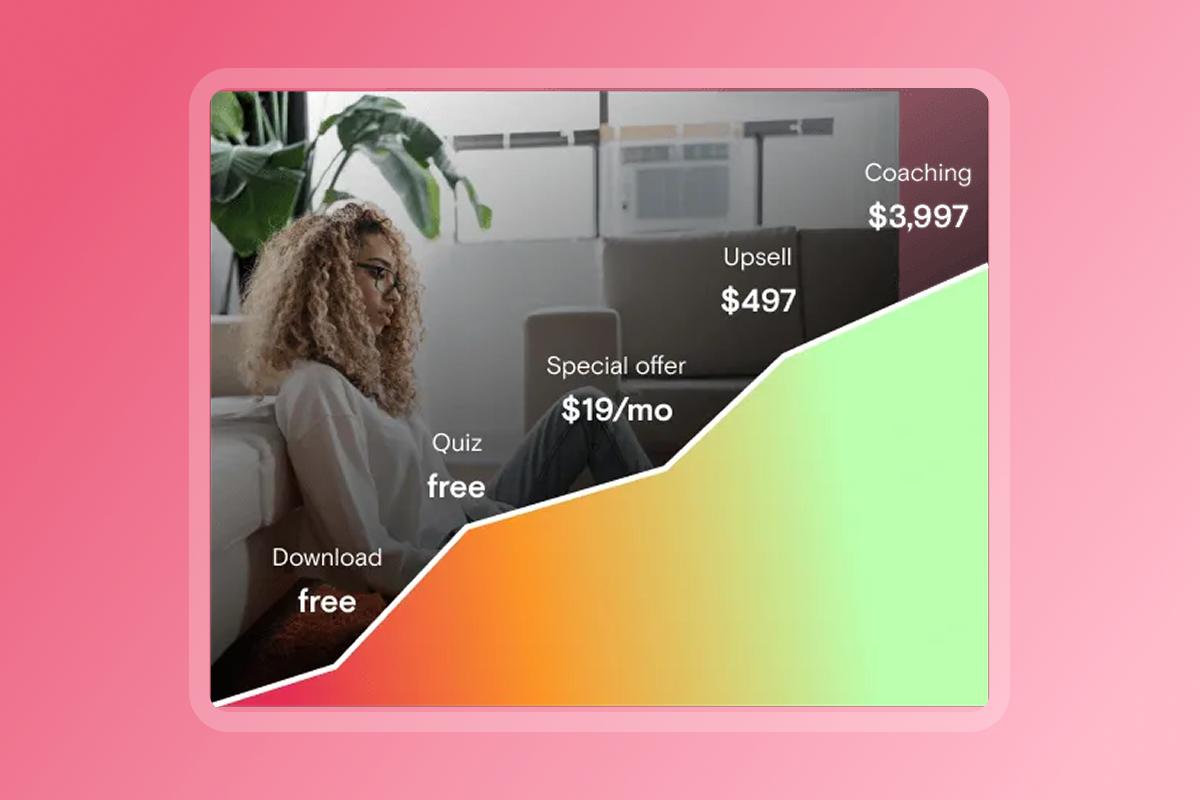
Your email list and social following are your fastest path to first downloads. The "Download my app" call to action is lower friction than "Register for this course" because a single link sends someone directly to the App Store. Combine that with a founding member offer exclusive to app users, a 7-day launch push sequence, and an updated Instagram bio link pointing to your App Store page. Content marketing and community engagement cost nothing beyond time and consistently drive organic installs long after launch week ends.
App store review timelines: Plan for a buffer
Apple reviews 90% of submissions within 24 hours, while Google Play new apps typically take 1-3 days (up to 7 days for sensitive categories such as health, finance, or kids' content). Build a 1-2 week buffer into your launch plan. If Apple requests clarification on metadata, you can fix screenshots or copy and resubmit within 1-3 days. Passion.io's Expand and Plus plans include submission support, and all plans provide access to the training programs hub alongside our support team.
"Passion.io is legit. They are professional, helpful, and incredible. I could NOT have launched my app without their help. Even with their platform, and their incredible guides of step by step to do, I still needed hand-holding in the process. And I have a tech background. Apple and Google aren't easy, but it IS doable with Passion!" - Kirsten Larsen on Trustpilot
Engagement comparison: Push notifications vs. email marketing
Your marketing emails average under 2% open rates and 1-2% click rates. Push notifications average a 20% open rate and a 28% click rate. Push is experienced on the lock screen, not buried in a promotional tab, which is why it drives same-day action that email cannot match.
A push notification at 7 AM reminding members to complete today's workout drives immediate action. The same message sent by email may sit unread until the challenge is over.
How Passion.io's engagement tools work
Passion.io builds engagement through three interconnected features:
- Push notification scheduler: You send behavior-triggered or scheduled messages to all users or specific segments. The Launch plan includes up to 1,000 push notifications per month.
- Challenges and habit tracking: Your users log progress, track check-ins, and view other members' activity for social accountability. We combine timed activities with goal tracking so members complete full sessions before progressing.
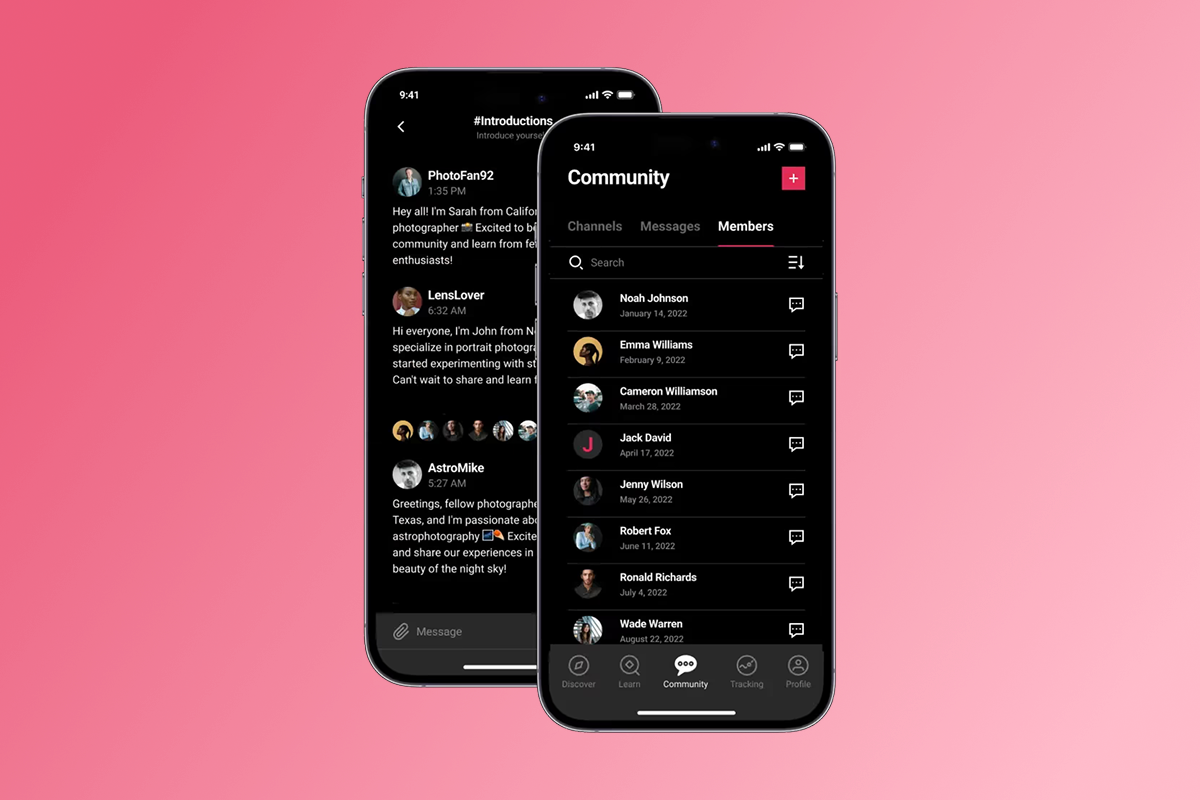
- In-app community: Channels, member posts, direct messages, and challenge feeds live inside your app and tie engagement back to your content calendar, not a separate Facebook group. Our PassionFighters in-app community model demonstrates how habit loops built around shared accountability outperform scattered social DMs.
Kajabi's branded add-on and Thinkific's branded mobile add-on both include push notifications, but only with the paid $199/month add-on on top of the base plan. The standard web experience on both platforms has no native push capability.
Creators running in-app challenges on Passion.io have reported meaningful completion lifts within 90 days, according to published case studies. A consistent push cadence and a 30-day challenge are the two highest-impact levers to run in your first month live.
"Passion.IO has made it possible for me to share my experience and passion with my community in an easy to use app. I'm so grateful for Passion.IO" - Tracy Wait Personal on Trustpilot
The cost of ownership: Platform fees, margins, and ROI
We are breaking down every fee here because the wrong choice costs you real margin.
Passion.io pricing
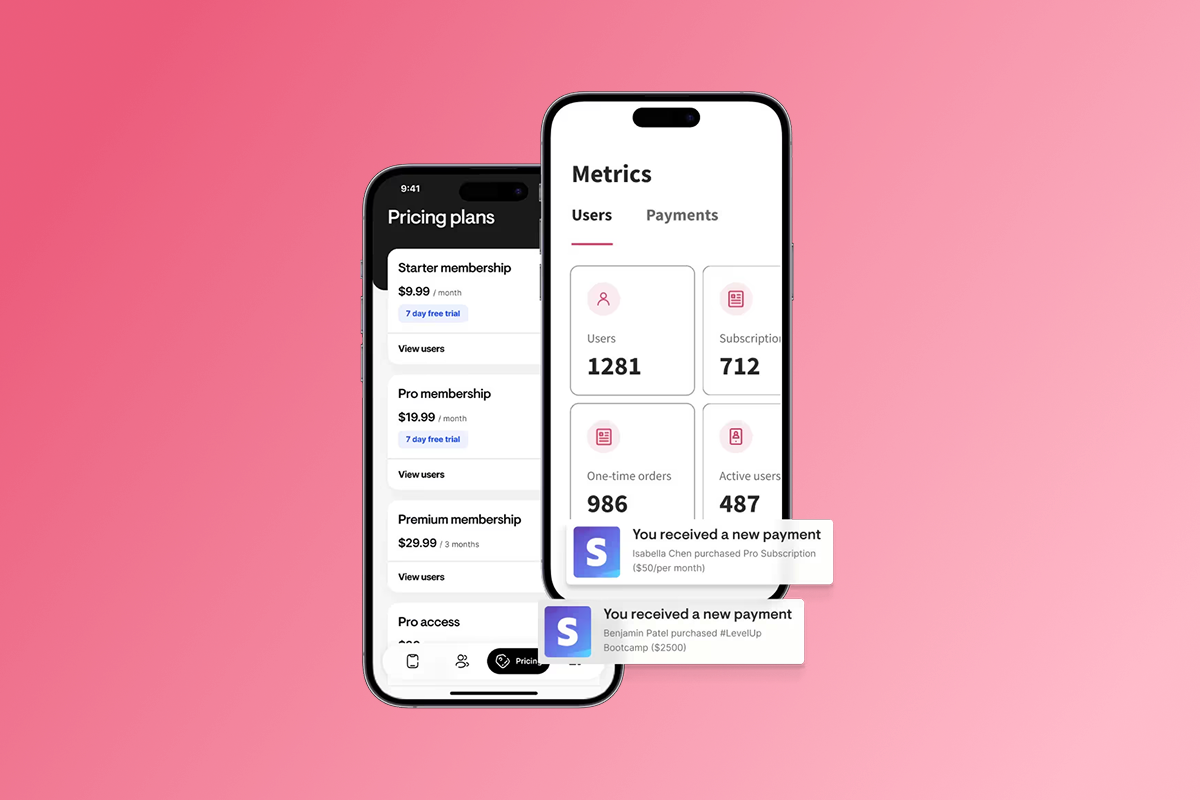
- Plans: Launch at $99/month annually, Scale at $239/month annually, Expand at $599/month annually, and Plus at custom scope-dependent pricing ($10k-$20k range). Add Apple Developer Program at $99/year and Google Play at $25 one-time, paid directly to Apple and Google.
- Year 1 base cost on Launch: $1,312 total, per our full starter cost breakdown.
- Web checkout (PassionPayments): 3.9% platform fee plus Stripe processing, totaling approximately 6.8% on web sales, as detailed in our pricing guide.
- In-app purchases (IAP): Apple and Google retain 15-30%. Creators earning under $1M annually typically qualify for Apple's 15% Small Business Program rate.
- External checkout (Scale and above): 0% Passion.io platform fee when routing payments through ThriveCart, SamCart, or similar tools via Zapier. You pay only the external processor's fees.
Kajabi and Thinkific branded app costs
Kajabi's Basic plan at $143/month annually plus the Branded App add-on at $199/month totals $342/month or approximately $4,104/year, as detailed in this cost comparison. The Pro plan at $399/month annually includes the branded app but costs approximately $4,788/year. Thinkific's branded mobile add-on is $199/month on top of any base plan, putting the minimum annual cost at approximately $2,820 when combining the Basic plan with the add-on, per Thinkific's current pricing.
Think of IAP as a toll road: fast and convenient for mobile buyers already logged into their devices, but it costs more per transaction. On a $29/month subscription sold via IAP, Apple likely retains $4.35 at the 15% Small Business rate. On web checkout at the same $29, PassionPayments takes $1.13 at 3.9%. Route core subscriptions through web checkout for margin control and use IAP for in-app upsells where the convenience drives conversion.
Feature showdown: Mobile capabilities head-to-head
Stick with Kajabi or Thinkific if your revenue model runs on web-based course funnels and heavy email automation. Choose Passion.io for mobile engagement mechanics, launch economics, and a native branded app as the core product rather than an expensive add-on.
Your 30-day app launch strategy checklist
You can go live on web in 2-3 weeks and publish across iOS, Android, and web within 4-8 weeks. Here is the step-by-step path with no code required at any stage.
Days 1-7: Content migration and branding
- Upload core content: Migrate your 10 most-used lessons (video, audio, or PDF) and organize them into a course sequence with drip unlock logic.
- Apply your brand kit: Add your logo, colors, and app icon. Use the home screen setup guide to configure your app's first-open experience.
- Set pricing tiers: Define monthly and annual subscription prices, plus any one-time purchase products. Configure these in PassionPayments on Day 1 so checkout is ready before you invite anyone.
- Open developer accounts: Register your Apple Developer Account ($99/year) and Google Play Developer Account ($25 one-time) on Day 1. Apple and Google can take 1-2 weeks to process new registrations, and you cannot submit your app without them.
Days 8-14: App configuration and checkout setup
- Build your community: Set up community channels and configure your first 30-day challenge with progress tracking and habit-logging enabled.
- Write your push sequence: Draft a 7-day launch push cadence and a weekly ongoing reminder schedule. Configure push notification permissions inside the builder before submission.
- Set your checkout path: Activate PassionPayments web checkout as your primary revenue path. Add IAP products for in-app convenience upsells where appropriate.
Days 15-21: Beta test and submit
- Publish your web app and send the link to 10-20 existing clients or followers as beta testers. Ask specifically about navigation, onboarding friction, and content sequencing.
- Fix friction points based on beta feedback before public App Store submission.
- Submit iOS and Android listings: Allow a 1-2 week review buffer for Apple and Google. On Expand or Plus plans, submission support is included. On Launch or Scale, follow our step-by-step walkthroughs in the training programs hub.
Days 22-30: The launch marketing push
- Update all social profiles: Change your Instagram bio, YouTube channel description, and email signature to direct App Store download links for both iOS and Android.
- Send your launch email to your full list with "Download now" as the primary CTA, not a web registration link.
- Go live on social media: Record and post a walkthrough of your app from your phone showing the community, challenge, and course experience.
- Activate your 7-day push sequence and target your first 50 paying users by Day 30 with a founding member conversion campaign.
"I purchased Passion.io to build an app that was easy for me and my clients to utilize. The group onboarding training was super helpful to getting started on the right foot. I'm working my way through the Expert Unleashed challenge and can't wait to launch my app within the next 1-2 months!" - LAT CPA Firm on Trustpilot
Choosing the right platform for your growth
Stick with Kajabi or Thinkific if your revenue model runs on web-based course funnels and heavy email automation. Both platforms deliver that experience well for long-form landing pages, complex email sequences, and desktop-first purchasing flows.
Choose Passion.io if you want to own your audience on a branded mobile app, drive daily engagement through push notifications, and build recurring subscriptions through a mobile-first community. The native app is included in every plan from $99/month annually, while the equivalent branded app experience on Kajabi or Thinkific adds $199/month on top of a base plan.
The numbers prove it. Push notifications achieve a 20% open rate vs. under 2% for email, giving you a direct re-engagement channel that no algorithm can take away. Your 90-day target: web app live by end of Week 3, 50 paying subscribers onboarded by Day 30, a 30-day in-app challenge running through Month 2, and a weekly push cadence sustaining daily active users into Month 3.
Try Passion.io with a 30-day money-back guarantee or book a Passion.io demo to see the no-code builder and launch playbook in action.
"Absolutely LOVE the Passion.io app platform. Everything you need to build and launch your app. They make it so easy and customer support is awesome!" - Shannon Reissman on Trustpilot
Frequently asked questions about app launches
How do you get the first 1,000 app downloads?
Convert your existing email list and social following first with a founding member offer and direct App Store links updated across all your profiles. Combine that with ASO keyword optimization in your store listing and an early review request to your first 50 users to build the ratings velocity that drives organic ranking.
What is the best way to market an app launch?
Run a 7-day launch push sequence to drive Day 1 downloads, then activate a 30-day in-app challenge to lock in retention. In-app challenges and exclusive content outperform generic email campaigns for mobile launches because they give users a daily reason to open the app, not just on launch day.
How do you promote your app for free?
Update your link-in-bio to your App Store URL, pin a launch announcement post, and go live on Instagram or YouTube showing a walkthrough of the in-app experience. Community engagement in niche Facebook groups, Reddit communities, and Slack channels also drives sustained organic installs at no cost.
What is the biggest mistake creators make when launching an app?
Waiting until the app is published to start marketing. Build your waitlist and founding member offer 2-3 weeks before submission so you convert your first 50 paying users on Day 1 of public availability.
Does Passion.io include a branded app in all plans?
Yes. A native iOS, Android, and web app under your brand is included in all Passion.io plans from $99/month annually. The Apple Developer fee ($99/year) and Google Play fee ($25 one-time) are paid directly to Apple and Google and are separate from the Passion.io plan cost.
Key terminology for app creators
ASO (App Store Optimization): The process of improving your app's ranking in App Store and Google Play search results through keyword placement, visual asset quality, and ratings management. ASO is the mobile equivalent of SEO and is the primary organic discovery channel for native apps.
Native app: An application built specifically for iOS or Android that users download from the App Store or Google Play. Native apps run on the device, support push notifications, allow offline content access, and appear as a branded icon on the home screen.
Web app / Progressive Web App (PWA): A website that functions like an app in a mobile browser but lacks native device features such as push notifications, offline mode, and home screen presence. Passion.io generates a web app alongside your native iOS and Android apps from a single no-code build.
In-app purchases (IAP): Digital purchases made inside a native iOS or Android app. Apple and Google retain 15-30% on IAP transactions. Creators earning under $1M annually typically qualify for Apple's 15% Small Business Program rate.
Push notifications: Direct messages sent to a user's device that appear on the lock screen or notification center. They average a 20% open rate vs. under 2% for email, making them the highest-reach re-engagement tool available to creators with a native app.
CPI (Cost Per Install): The paid acquisition cost for each app download through advertising. Organic installs via ASO and social conversion cost $0 per install.
Churn: The percentage of subscribers who cancel in a given month. In-app challenges and a consistent push cadence are the primary tools for reducing churn in the first 90 days after launch.